 Aurora PDF
Sign, lock and black out PDFs. On your own PC.
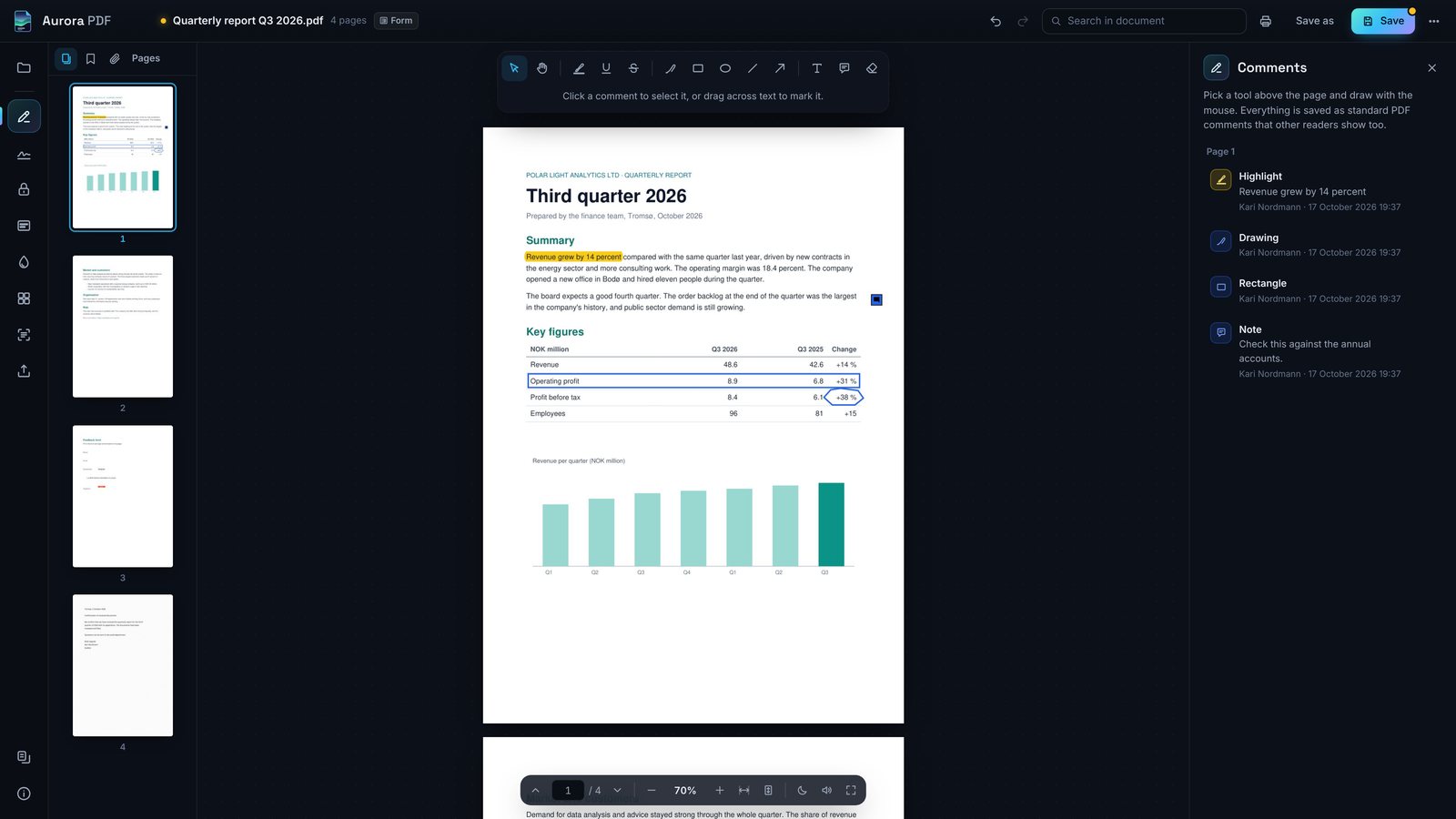
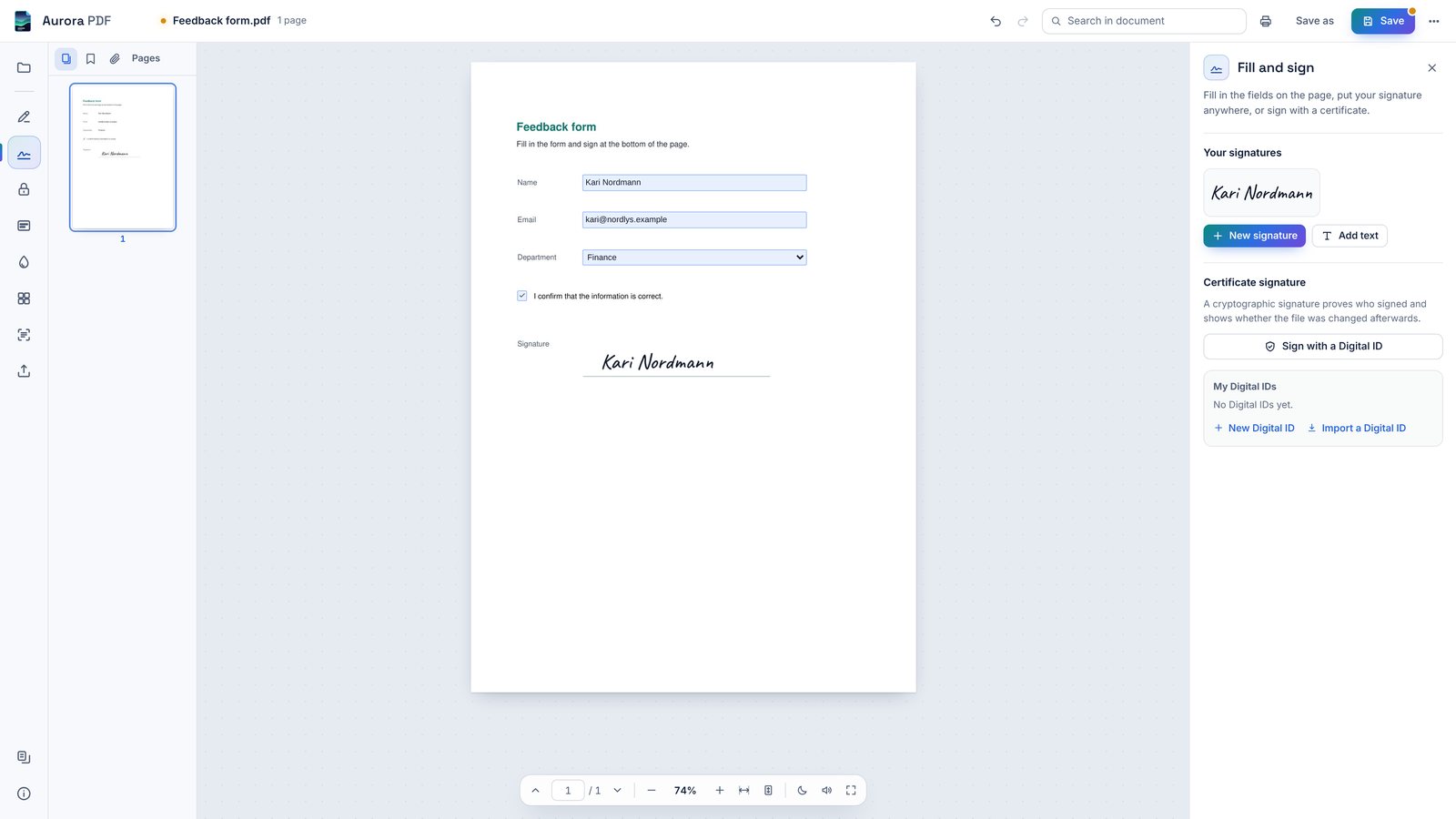
Aurora PDF reads, comments, fills in and signs PDF files, puts a password on them and removes what others must not see. Nothing is uploaded and there is no account.
$14.99 once on the Microsoft Store. Windows 10 and 11.
What it does
Everything you would reach for in a PDF reader, plus the parts that usually cost a subscription: signatures, passwords, redaction and text recognition.
Your files stay where they are
Contracts, payslips and medical letters are exactly the files you should not upload to a website to sign or protect. Aurora PDF does the work on your computer and never sends a page anywhere.
It does not need an internet connection, not even for text recognition. The language data comes with the app.
- No accountOpen the app and open a file. That is all.
- No upload, no trackingNo analytics and no ads. Read the privacy policy.
- Ordinary PDF filesComments, signatures and passwords are standard PDF, so other readers open your files.
One price, no subscription
Buy it once on the Microsoft Store and it is yours, updates included. Try every feature free for 15 days first. The Store shows the price in your own currency.
Coming soon to the Microsoft StoreOpen source
Aurora PDF is free software under the GNU AGPL-3.0. Anyone can read the code, build the app and share it under the same licence.
The Store version is the same program, built from that code, ready to install and kept up to date.
Source code on GitHubQuestions
- Which computers does it run on?
- Windows 10 (version 1809 or later) and Windows 11, 64-bit. It needs Microsoft Edge WebView2 Runtime, which Windows 11 has and Windows 10 gets with Microsoft Edge.
- Do I need an internet connection?
- No. Everything, text recognition included, runs offline. A link inside a PDF opens in your browser only when you click it.
- Will other people see my comments and signatures?
- Yes. They are standard PDF comments, form fields and signatures, so Adobe Acrobat Reader and other PDF readers show them.
- What happens when the trial ends?
- The app stops opening until you buy it in the Microsoft Store. Your files stay where they are and open in any PDF reader.
- Is redaction really permanent?
- Yes. When you apply it, the text, picture pixels, comments, form fields and links under the mark are removed from the saved file. Keep a copy of the original if you need it.
- Which languages?
- The app is in English, Norwegian and Serbian. Text recognition reads English, Norwegian and Serbian in Latin and Cyrillic script.